
SOP automation with AI matters because most SOPs do not fail because they are missing. They fail because they stay trapped inside documents and never become part of daily execution. When standard operating procedures (SOPs) live solely in folders, PDFs, or internal wikis, they rely entirely on team members remembering to open them, follow every step manually, and execute them perfectly.
The fix is not a better document. It is a workflow with triggers, required inputs, operating rules, review points, exception routes, and output checks built around the SOP. Use the AI process readiness assessment first when the process has not yet been confirmed as ready to build. Then apply the Controlled AI Workflow controls to convert the approved SOP into an executable AI-assisted workflow, and use AI workflow testing before the workflow is used live.
Table of Contents
- Why Static SOPs Fail When They Stay Passive
- AI SOP Automation vs. AI SOP Generation
- Which SOPs Are Worth Turning into AI Workflows?
- How to Build an Executable AI Workflow from a Static SOP
- Example: Weekly Operations Report SOP
- Where Human Review Gates and Exception Handling Belong
- How to Test and Improve the Workflow Before Using It Live
- When a Small Team Should Get Help
- FAQ
Why Static SOPs Fail When They Stay Passive
When an SOP is stored as a passive document in Google Docs or Notion, it is easy to ignore and hard to maintain. Without active elements connecting the document to daily work, it quickly becomes outdated because no one tests it against real work.
Several structural limitations prevent static documents from becoming part of daily work.
First, they lack a dedicated launch mechanism. Without a defined trigger or required inputs, there is no signal showing when a process should start. This forces team members to manually gather information from different sources before starting, which often leads to delays and incomplete data.
Second, they do not enforce quality checks. Approvals are often handled informally over chat messages, making it easy for unreviewed work to pass through. Without a structured check to verify that the final work meets quality standards before delivery, errors slip through unnoticed.
Finally, they offer no path for exceptions or continuous improvement. When work does not fit the standard instructions, team members must guess how to handle it or stop the process entirely. Because the SOP is disconnected from actual daily work, it is never updated to handle these cases.
AI SOP Automation vs. AI SOP Generation
It is important to understand the difference between writing an SOP and running one.
- AI SOP generation refers to using AI to write, structure, or improve the text of an SOP document. While this helps create the document faster, the result is still just a static file.
- SOP automation with AI means converting that existing, written SOP into an executable AI workflow that helps the team carry out repeated work with clearer triggers, checks, and review points.
This article assumes your SOP already exists and accurately reflects the work your team performs; if it does not, start with current-state process mapping before turning written steps into an executable AI workflow that guides the team from trigger to final delivery.
In this context, SOP automation with AI is a workflow-design step, not a shortcut for producing another document.
Which SOPs Are Worth Turning into AI Workflows?
Not every process should be automated. Small teams must focus their resources on procedures where automation provides a clear operational return.
If the underlying process is already mapped, use an AI process readiness assessment to identify operational blockers before committing resources to workflow implementation.
Good SOP Candidates
The best candidates for standard operating procedure automation share these operational characteristics:
- Repeated weekly or daily: High-frequency tasks where time savings add up quickly.
- Time-consuming manual work: Tasks that take hours of manual collation or drafting.
- Clear trigger and predictable inputs: A distinct event that signals the start of the work, with information arriving in a consistent format, such as standard spreadsheets, updates, or documents.
- Rule-based decisions: The choices made during the process follow clear if-then logic.
- Reviewable output: The final draft or deliverable can be checked by a manager.
- Quality risk if skipped: Tasks where human error or skipped steps directly hurt the business.
- Repeated exceptions: Processes where team members regularly encounter edge cases that need a clear routing structure.
Poor SOP Candidates
You should avoid attempting SOP process automation for tasks that are:
- One-time tasks: Projects that will not be repeated in the same way.
- Vague processes: Procedures that rely on general intuition rather than clear, repeatable steps.
- No clear output: Tasks where the final goal or deliverable is not defined.
- High-risk decisions without review: Tasks that impact compliance or finances without a human approval layer.
- Constantly changing: Processes that require a different approach every time they are run.
- Highly sensitive work: Tasks that require deep empathy or direct relationship management with no room for template processing.
How to Build an Executable AI Workflow from a Static SOP
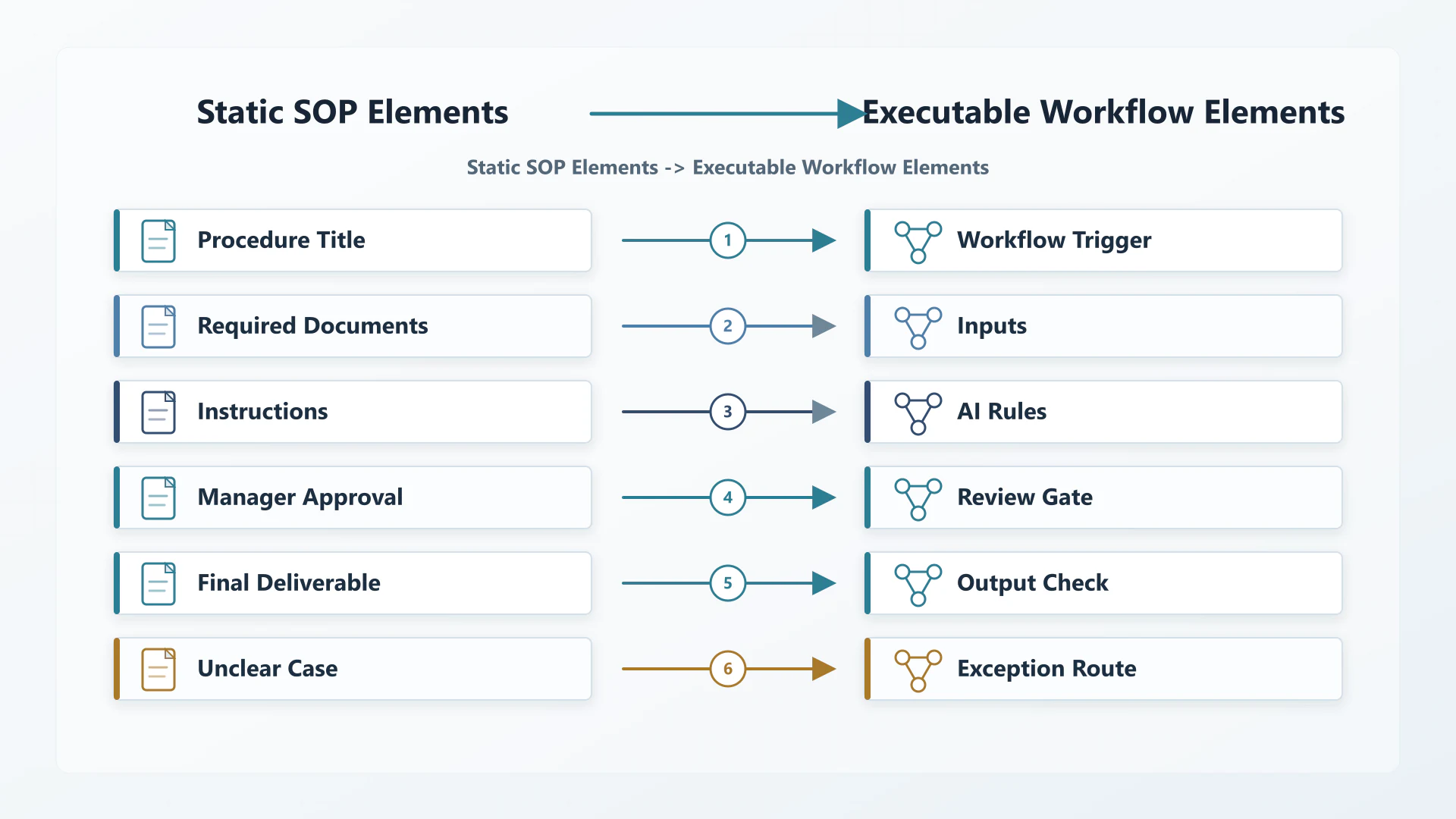
To convert a passive document into an active workflow, you must map the static parts of your document to active workflow elements.
| SOP Element | Workflow Element |
|---|---|
| Procedure title | Workflow trigger |
| Required documents | Inputs |
| Instructions | AI rules |
| Manager approval | Review gate |
| Final deliverable | Output check |
| Unclear case | Exception route |
Step 1 — Identify the Workflow Trigger
Every executable AI workflow must start with a specific trigger. You must define the exact moment the process begins. Common triggers include:
- A specific day and time, such as every Friday at 9:00 AM for a weekly report.
- An internal request form submission.
- A task marked as “Ready” on a project board.
- A manager requesting a specific status update.
- An invoice or source document arriving in a shared team folder.
Step 2 — Define Required Inputs
Define the exact information the workflow needs before it can run. If the intake step lacks these inputs, the workflow should pause before processing. Example inputs include:
- Source documents: The raw text or reports that contain the necessary information.
- Spreadsheet numbers: Financial or operational metrics.
- Project notes: Written updates from team members.
- Previous reports: Historical context used to compare progress.
- Approval notes: Notes showing what has already been approved, delayed, or escalated.
Step 3 — Convert SOP Rules into AI Instructions
Take the written instructions in your SOP and convert them into clear, rule-based instructions for the workflow.
- If the SOP says “include completed work, blockers, and next actions,” convert that into required output sections.
- If the SOP says “do not include unconfirmed numbers,” convert that into an exclusion rule.
- If the SOP says “flag missing team updates,” convert that into an exception instruction.
- If the SOP says “send unclear blockers to the manager,” convert that into a routing instruction.
Step 4 — Add the Human Review Gate
If the SOP says a manager must approve the work before it is sent, that approval point becomes the review gate. The AI-assisted workflow can prepare the draft, but the workflow should stop before the final action until a human checks the source inputs, exceptions, and final output.
Step 5 — Define the Output Check
Turn the final deliverable requirements of your SOP into a strict checklist. The output check should verify the draft against these criteria before presenting it at the review gate. This includes checking that:
- All required sections are present.
- Any missing details or unresolved points are clearly flagged.
- The formatting matches the team style guide.
- Risks and blockers are separated from standard updates.
Example: Weekly Operations Report SOP
To see this conversion in practice, let us look at how a static “Weekly Operations Report SOP” is converted into an active, multi-source aggregation workflow.
The Static SOP Before
- Title: Weekly Operations Report Process
- Inputs: Team updates, project notes, spreadsheets, blockers, pending approvals, and the previous report.
- Instructions: Collect all updates, write a summary of what was completed, highlight what is blocked, and send it to the operations manager for approval.
The Executable Workflow After
- Trigger: The workflow starts every Thursday afternoon.
- Intake Step & Inputs: The intake step collects or confirms the required inputs: team updates, project notes, spreadsheet numbers, blockers, pending approvals, and the previous week’s report.
- Exception Handling: If the intake step detects that a team member did not submit project notes, the workflow flags the missing field for the operator instead of trying to write a report with incomplete information.
- AI-Assisted Processing: Once all inputs are collected, the workflow applies the AI rules defined for this SOP to organize the scattered updates into a single draft.
- SOP Rules Applied: The workflow separates completed tasks from pending issues, groups blockers and pending approvals under a “Critical Focus” section, and keeps the tone operational and direct.
- Output Checklist: Before displaying the draft, the workflow runs a final output check: Are all required updates present? Are the numbers formatted correctly? Are blockers clearly separated?
- Manager Review Gate: The operations manager receives the draft alongside the raw team updates to verify the accuracy of the report before it is sent.
Where Human Review Gates and Exception Handling Belong
Automating an SOP does not mean removing human oversight. Designing a reliable executable AI workflow requires placing human review checkpoints and exception routing at critical decision points to protect the business, especially when teams align operational AI controls with external guidance such as the NIST AI Risk Management Framework.
Review gates and exception routing are required in several main operational areas. First, any draft meant for external clients, partners, or vendors must pass through a human reviewer before it is sent. Similarly, financial and compliance decisions, such as payments, vendor approvals, budget allocation steps, and compliance submissions, must be routed to a human operator.
Second, the workflow needs clear exception paths for data and rule mismatches. When the workflow detects conflicting information within the inputs, such as different project numbers across two sheets, or when a case falls outside the standard scope of the SOP, the system must trigger an exception route. The workflow should pause and route the task to a team member for resolution rather than making incorrect assumptions.
How to Test and Improve the Workflow Before Using It Live
Before deploying your new workflow to the team, run it through a structured testing process to identify drift and refine your instructions.
For SOP automation with AI, testing is what keeps the workflow from becoming another outdated process.
- Test with historical data: Run three to five past weekly reports or previous runs of the same SOP through the workflow and compare the results against the original human-completed versions.
- Verify against the human standard: Check if the workflow missed key details, made incorrect assumptions, or misclassified inputs.
- Adjust the rules: Update your instructions to resolve any errors or tone issues.
- Document edge cases: Add rules to cover exceptions that appeared during testing.
- Monitor for workflow drift: Even after going live, check your review gates regularly. If team members find themselves manually correcting the same mistake, it means the underlying process has changed. When this happens, update the SOP rules in the workflow to reflect the new business reality.
When a Small Team Should Get Help
Setting up the logic for a workflow is straightforward, but making different steps work together reliably can be difficult for busy teams. A small team should consider a professional Workflow Automation Setup when:
- The team still processes standard procedures manually because no one has time to set up the system.
- Work quality varies significantly depending on which team member runs the SOP.
- AI drafts are inconsistent, requiring team members to rewrite the output completely.
- It is unclear where human review points should pause for approval.
- Exceptions appear constantly, stalling the day-to-day operations.
For more strategic advice, you can read our latest AI workflow insights.
FAQ
What is SOP automation with AI?
SOP automation with AI is the practice of converting written, static standard operating procedures into an executable AI workflow where AI assists with data collection, drafts the deliverables, and applies SOP rules, while humans manage reviews and exceptions.
Is SOP automation the same as generating SOPs with AI?
No. Generating SOPs means using AI to write the text of a procedure. SOP automation means taking a procedure that already exists and building a system that executes the steps, processes the inputs, and helps your team do the work.
Which SOPs should a small team automate first?
Small teams should start with high-frequency, low-risk procedures that have clear triggers and predictable inputs. Examples include compiling weekly team updates, running standard data checks, or preparing standard intake summaries.
A good first project for SOP automation with AI is a repeated, low-risk process where the team already knows what the final output should look like.
Why do AI-assisted SOP workflows still need human review?
Human review checkpoints are necessary to ensure accuracy, handle edge cases, and maintain operational accountability. AI workflow review gates prevent errors from slipping through and ensure that the final output is verified.
Can AI fully automate standard operating procedures?
No. While AI can draft reports, organize scattered inputs, and check formatting, it cannot make final approvals or take legal responsibility for the work. Reliable systems rely on human-in-the-loop AI processes to manage exceptions and final sign-offs.
What happens when the workflow finds something outside the SOP’s rules?
The workflow should pause, flag the issue, and route it to a human reviewer instead of guessing. If the same exception appears repeatedly, the SOP rule or workflow step should be updated.
Get a Free AI Workflow Audit
If your team already has SOPs but still runs the work manually, inconsistently, or without clear review gates, Pro Prompt Flow can help map one process into a controlled AI-assisted workflow.
Start with one active SOP. We will review the process, identify where AI can assist, and show where triggers, inputs, review gates, exception routes, and output checks should be placed.
Pingback: What is a Controlled AI Workflow? The 4-Part B2B Framework