
A scheduled AI task can run without the operator actively watching it. That is the practical appeal of the feature. But for a business operator, the harder question is not simply whether the platform can run the task on schedule.
The harder question is whether you can rely on what happens when it runs.
Vendor behavior and documentation references in this article were reviewed in October 2026.
What Changes When Scheduled AI Work Runs Unattended?
Recurring AI work is now available across several major platforms. You may encounter it as ChatGPT scheduled tasks, Claude scheduled tasks, Gemini scheduled actions, or Copilot scheduled prompts.
The names differ, but the operating problem is similar: a recurring instruction can execute when the person who created it is not actively supervising the run.
That is materially different from ordinary interactive AI use.
During an interactive session, a person is present. If an expected result is missing, they can notice it immediately. If a connection is unavailable, they can investigate. If an action requires approval, they can respond. The user has an opportunity to intervene while the work is happening.
With scheduled execution, that real-time oversight may be absent. Some problems — such as a missing, incomplete, or stale result — may only become visible later, when someone reviews or relies on the output.
For business use, that creates four separate decisions:
- Should this task run without active supervision?
- Does the scheduled execution path actually work?
- What counts as business success when the run finishes?
- When should the task be revalidated?
Scheduling the prompt is only the beginning.
Should This Task Run Without Supervision?
Before validating a schedule, first decide whether the work belongs in an unattended path at all.
Anthropic’s guidance for scheduled Claude tasks recommends starting with lower-risk work, avoiding sensitive data and consequential actions, reviewing outputs after each run, and pausing tasks that are no longer in active use.
Those are useful vendor cautions. For an operator, the broader decision also depends on the specific risk profile of the business task.
External Side Effects and Reversibility
Ask whether the task only produces information or whether it can change something outside the AI conversation.
An internal summary for later review is different from sending a client message or modifying data in an external system where the task has permission to act.
External actions may persist independently of the AI conversation and may be difficult to reverse. As reversibility decreases, unattended execution deserves more scrutiny.
A useful boundary is to separate drafting an action from executing the action. When the consequence of a mistake is material, keeping the final action behind human review may be the safer operating design.
Sensitive Data
Consider what information the scheduled work can access.
Personally identifiable information, financial records, confidential company data, or other sensitive material increases the need to confirm that access, handling, and review remain consistent with the organization’s broader controlled AI workflow and data policies.
The question is not simply whether the AI can access the information. It is whether that access is appropriate for a recurring run that may execute without someone present.
Data Freshness
Some tasks depend on information that changes quickly.
Google documents that Gemini scheduled-action responses can be prepared before their delivery time. As a result, rapidly changing information may not be the latest when the response arrives.
That distinction matters operationally.
A weekly summary based on completed historical records may tolerate a delay. A task whose value depends on information being current at the moment of use requires a stronger freshness check.
If freshness changes the business decision, do not treat delivery time as proof that the underlying information is current.
Approval Requirements
Ask whether successful completion requires a person to approve an action.
OpenAI documents that connected-app actions requiring approval can pause a scheduled task until review. That means a task can be scheduled while still being incompatible with fully unattended completion.
Approval behavior also depends on the product surface and configured mode. Anthropic documents that Claude Cowork includes a Skip all approvals mode in which actions are not checked before they run. Confirm the configured approval mode instead of assuming the platform will always stop before a consequential action.
If human authorization is part of the intended workflow, design for that checkpoint rather than pretending the task is autonomous.
Consequence of Missing, Incomplete, or Stale Output
Consider what happens if the expected result is not available when the business needs it.
A missed internal briefing may be easy to rerun. A missing or stale output feeding a time-sensitive operational process may require active oversight.
The higher the consequence of an unnoticed failure, the weaker the case for relying on the schedule without a checkpoint.
Connected-App Permissions
Finally, review what the task is allowed to access or change.
A task with narrowly scoped read access presents a different exposure from one with broad write permissions across business systems.
Broader permissions increase the possible impact of an unintended action. Permission scope therefore belongs in the suitability decision before the task is trusted to run unattended.
Unattended Task Suitability Check
PPF operational synthesis / rule of thumb — not vendor policy.
Use this matrix as a qualitative decision aid. It is not a scoring system, and the columns are not universal vendor rules. One sufficiently risky factor may be enough to justify keeping human supervision.
| Factor | Suitable for Unattended Execution | Keep Human Supervision / Checkpoint | Do Not Run Unattended |
|---|---|---|---|
| External State | Read-only; no external changes | Drafts an action for human review | Executes difficult-to-reverse external actions |
| Sensitive Data | Public or non-sensitive internal data | Sensitive access is tightly scoped and reviewed | Highly sensitive data with insufficient control |
| Data Freshness | Static or historical information | Minor delay is acceptable | Decision requires information current at the moment of use and freshness cannot be verified |
| Failure Consequence | Minor inconvenience; easy to rerun | Failure would require manual recovery | Failure could create severe business or reputational impact |
| Approval | No approval required for the intended action | Approval is required and designed as an explicit checkpoint | Approval is required but the task is treated as autonomous, or the approval mode is unknown |
| Permissions | Narrow, necessary access | Moderate access with an explicit checkpoint | Broad write/delete authority over important systems |
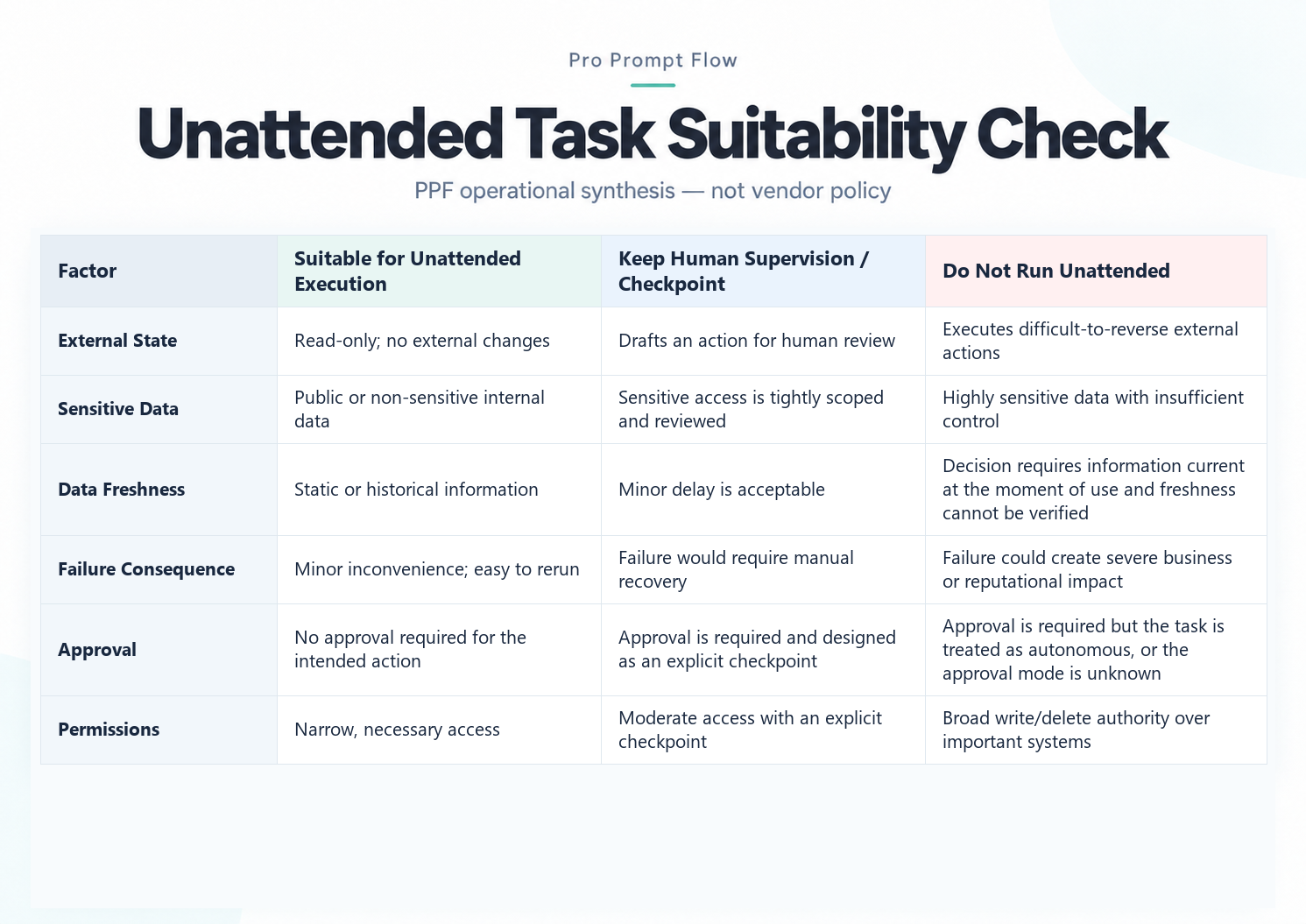
The matrix should be read from the highest-risk condition, not averaged into a score.
If a single factor clearly falls into the right-hand column, redesign the task or keep the relevant action supervised. If several factors sit in the middle, a useful compromise is often to schedule the preparation of the work while preserving a human checkpoint before consequential action.
Prove the Scheduled Path, Not Only the Prompt
One of the easiest mistakes in recurring AI work is assuming that a prompt that succeeds interactively will behave the same way when it runs on a schedule.
OpenAI advises testing the prompt manually before scheduling. PPF treats that manual check as Test 1 and adds a separate Test 2 for the scheduled path itself.
Test 1 — Prompt test: Does the instruction produce an acceptable result during an interactive session?
Test 2 — Scheduled-path test: Does the actual recurring path execute with the expected schedule, connection or access, input context, output destination, and level of human intervention?
A successful prompt test is evidence that the instruction can work interactively. It is not complete evidence that the scheduled route works.
A scheduled run can depend on connection and authorization conditions that differ from the operator’s live session. OpenAI’s Team Tasks documentation states that an unattended run cannot complete a new app sign-in, and a team task can use a configured connection whose account and permissions differ from the creator’s personal access.
Developer-oriented work provides another useful precedent. Aident, a third-party developer blog, uses a canary — a deliberately small, low-risk test run — plus completion evidence when verifying Claude Code scheduled routines. The exact mechanism is developer-specific, but PPF adapts the underlying principle for business operations:
Do not validate only the instruction. Validate the route that will execute it.
For deeper general test design, this is where a broader AI Workflow Testing process belongs. This article keeps the scope narrower: proving the scheduled path itself.
Scheduled-Path + Run-Evidence Record
Use a compact record when first validating a recurring task.
| Field | Validation Detail |
|---|---|
| Task / Purpose | What recurring business job is being performed? |
| Expected Schedule / Trigger Window | When should the run occur? |
| Required App / Data Context | Which approved connection or information source must be available? |
| Validated Configuration | Model, connected account/identity, approval or permission setting, and instruction version used during validation |
| Expected Business Output | What result should exist if the run succeeds? |
| Actual Run Observed | Was a run observed in the expected window? |
| Output / Delivery Observed | Did the expected result reach the intended destination? |
| Business-Success Criterion Met? | Yes / No |
| Intervention Required? | Did the run require unexpected human action? |
| Issue / Follow-up | What still needs correction or investigation? |
| Review Date | When was this validation performed? |
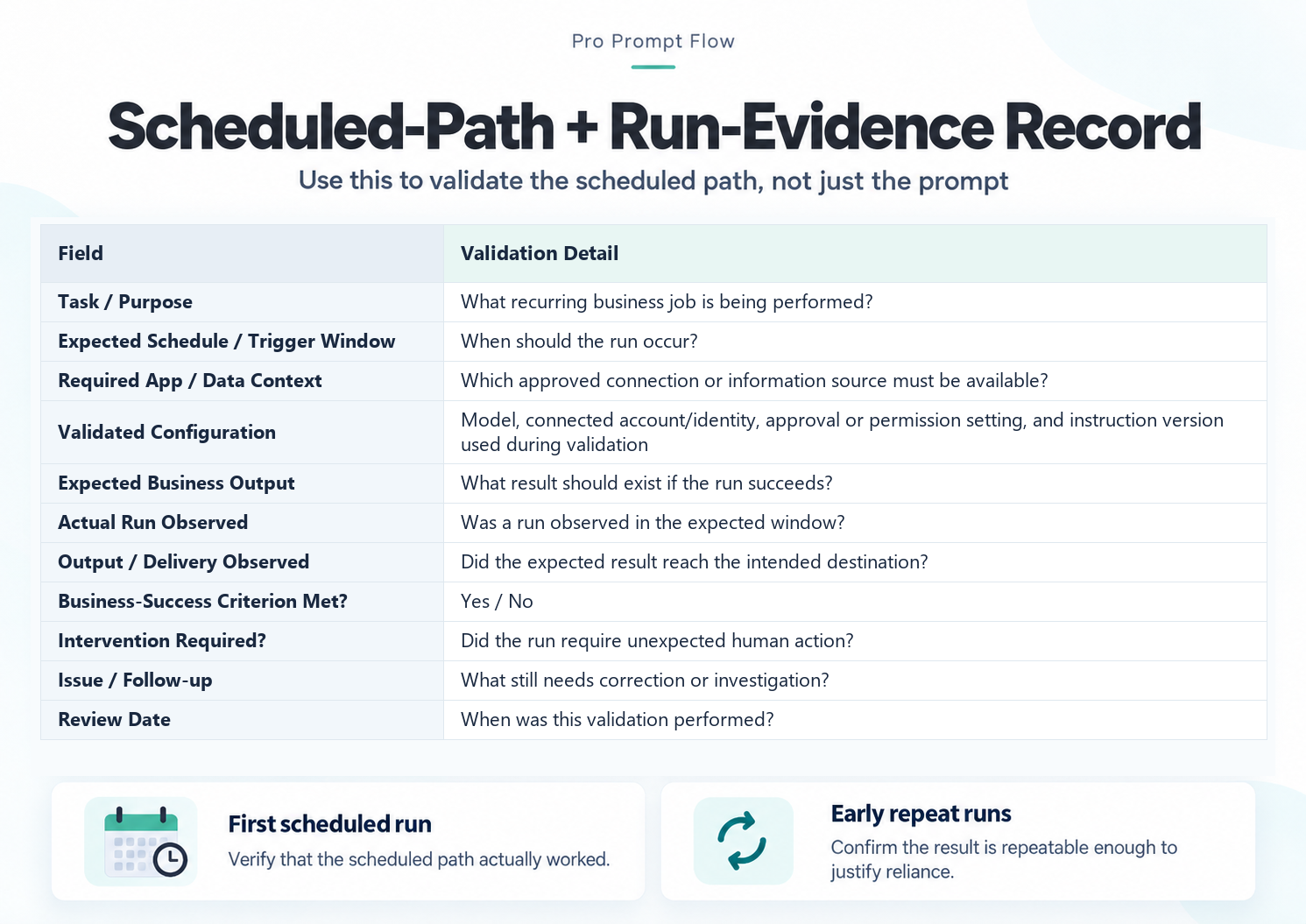
First Scheduled Run
Use the record on the first real scheduled execution.
The objective is not merely to see whether the task appears in a scheduler. Confirm that the expected path actually operated: the run occurred, the required connection was available, the intended result appeared, and the task did not depend on unexpected human intervention that would prevent unattended completion.
Early Repeat Runs
One successful run is useful evidence, but recurring work should also survive repeat execution.
Continue reviewing early scheduled runs until you have reasonable evidence that the path is repeatable for the intended use. OpenAI advises reviewing the first few scheduled outputs, while its scheduled-task troubleshooting guidance says to confirm that a required app account remains connected and authorized when a task stops responding.
Once the path has enough evidence to justify reliance, routine review can replace first-run validation.
Define Business Success Before You Trust the Run
A scheduler or run history may tell you that something occurred.
That is not the same statement as: The business task succeeded.
This distinction matters because infrastructure status and business outcome answer different questions.
Anthropic makes this explicit in its Claude Code routines documentation: on that developer surface, a green status can indicate that the session completed without an infrastructure error without proving that the requested task itself succeeded.
PPF applies the broader operational lesson without generalizing the product behavior:
Do not use scheduler status as your business-success criterion.
Define success before reviewing the run.
For a business task, success criteria might include:
- the expected output exists,
- required sections or fields are present,
- the information is sufficiently current for its intended use,
- the expected destination received the result,
- and no required unattended step depended on unexpected human intervention.
These are operational acceptance conditions, not vendor requirements.
Hard Failure vs. Soft Failure
PPF uses a simple distinction.
Hard failure: There is an obvious non-run, pause, block, interruption, or a connection error that is surfaced as an error.
Soft failure: Something appears to have executed or delivered, but the predefined business-success criterion is not satisfied.
Hard failures still require active checking in unattended work: a missed expected run or an automatic pause may only become obvious when someone checks the expected window. Soft failures deserve attention because they can be easier to overlook. An apparently completed run may not satisfy the business requirement.
Examples of documented or user-reported soft-failure patterns include missing or undelivered output, incomplete output, or information that is no longer current when delivered.
Gemini scheduled actions provide a direct example of the freshness problem: Google states that responses may be prepared in advance, so rapidly changing information may not be the latest at delivery. Google also documents that a location-related scheduled action continues using the location where the action was created unless the action is updated to specify a location.
OpenAI notes that a ChatGPT task may pause if it is inactive, requires additional action, or its associated chat is deleted. Google likewise notes that a Gemini scheduled action may be turned off automatically after inactivity. These are product-specific examples, not a universal pause taxonomy.
Compact Scheduled Task Diagnostic Reference
| Class | Operator-Visible Sign | Hard / Soft | Evidence Strength | First Operator Check |
|---|---|---|---|---|
| F1 — No Run | No run observed during the expected window | Hard | Primary-source support is surface-specific; also community-observed | Confirm task state and expected schedule |
| F2 — Paused / Interrupted | Task is paused, blocked, or stops before normal completion | Hard | Primary-source supported on specific vendor surfaces | Check task state and any pending approval |
| F3 — Connector / App Unavailable | Required connection or access is unavailable | Either — may appear as a visible error or only inside the run output | Primary-source supported (OpenAI; Claude Code developer surface) plus user-reported cases | Confirm required account remains connected and authorized, then inspect the run output |
| F4 — Stale Input / Output | Information is no longer current at delivery | Soft | Primary-source supported by Gemini | Check freshness requirements and data timing |
| F5 — Missing / Incomplete Output | Expected result is absent, undelivered, or incomplete | Soft | Mixed: developer-surface primary evidence plus user-reported cases on business surfaces | Compare the result with the predefined success criterion and available run details |
PPF inference: Behavior or output drift over time can also justify revalidation, but vendors do not document “scheduled-task drift” as a standalone failure class.
A useful operator sequence is:
- Confirm whether a run occurred.
- Confirm that the required connection or context was available.
- Compare the delivered result with the predefined business-success criteria.
- Check freshness where freshness matters.
- Move into AI Workflow Troubleshooting only after identifying what kind of failure you are dealing with.
The purpose of this sequence is diagnosis, not a complete troubleshooting system.
Revalidate When the Conditions of Reliance Change
A scheduled task that worked previously may need to be revalidated when a material dependency changes.
That is different from routine monitoring.
Routine review asks whether recent scheduled work is still meeting the defined success criteria.
Revalidation repeats the scheduled-path proof because something the task depends on is no longer in the same validated state.
Under PPF methodology, useful revalidation triggers include:
- Model retirement or replacement: the previously validated model dependency changed.
- Platform or execution-environment migration: the environment used during validation changed.
- Connector or account changes: a dependency used by the scheduled path changed.
- Ownership or offboarding changes: previously available connections may lose access or become disabled.
- Permission changes: the access or actions available to the task may differ from the validated state.
- Material instruction changes: the instruction being relied on is no longer the one that was previously validated.
Microsoft provides a useful example of why control assumptions need rechecking. As of October 2026, Microsoft’s scheduled-prompts documentation states that disabling connected experiences can remove the user’s ability to see and manage scheduled prompts while previously scheduled prompts may continue until their schedule finishes. Microsoft also documents that legacy preview prompts can continue through Power Automate without appearing on the scheduled-prompts page.
That is not a reason to rebuild an entire workflow every time a setting changes. It is a reason to stop assuming that previous validation still proves the current path.
PPF’s conservative rule is simple:
When a material dependency changes, revalidate the affected scheduled path and its business-success criteria before restoring unattended reliance.
Broader change-impact decisions belong in Production AI Workflow Changes, while ongoing review design belongs in Post-Deployment AI Monitoring.
Conclusion
Scheduled AI tasks are valuable because they separate recurring execution from constant human presence.
But scheduling alone is not evidence of reliable business operation.
Before relying on recurring AI work, decide whether the task is suitable for unattended execution. Prove the scheduled path rather than testing only the prompt. Define business success independently of scheduler status. Then revalidate the task when a material dependency changes.
Scheduled work becomes more defensible when suitability, path evidence, success criteria, and revalidation triggers are explicit.